SMS and WhatsApp in one inbox
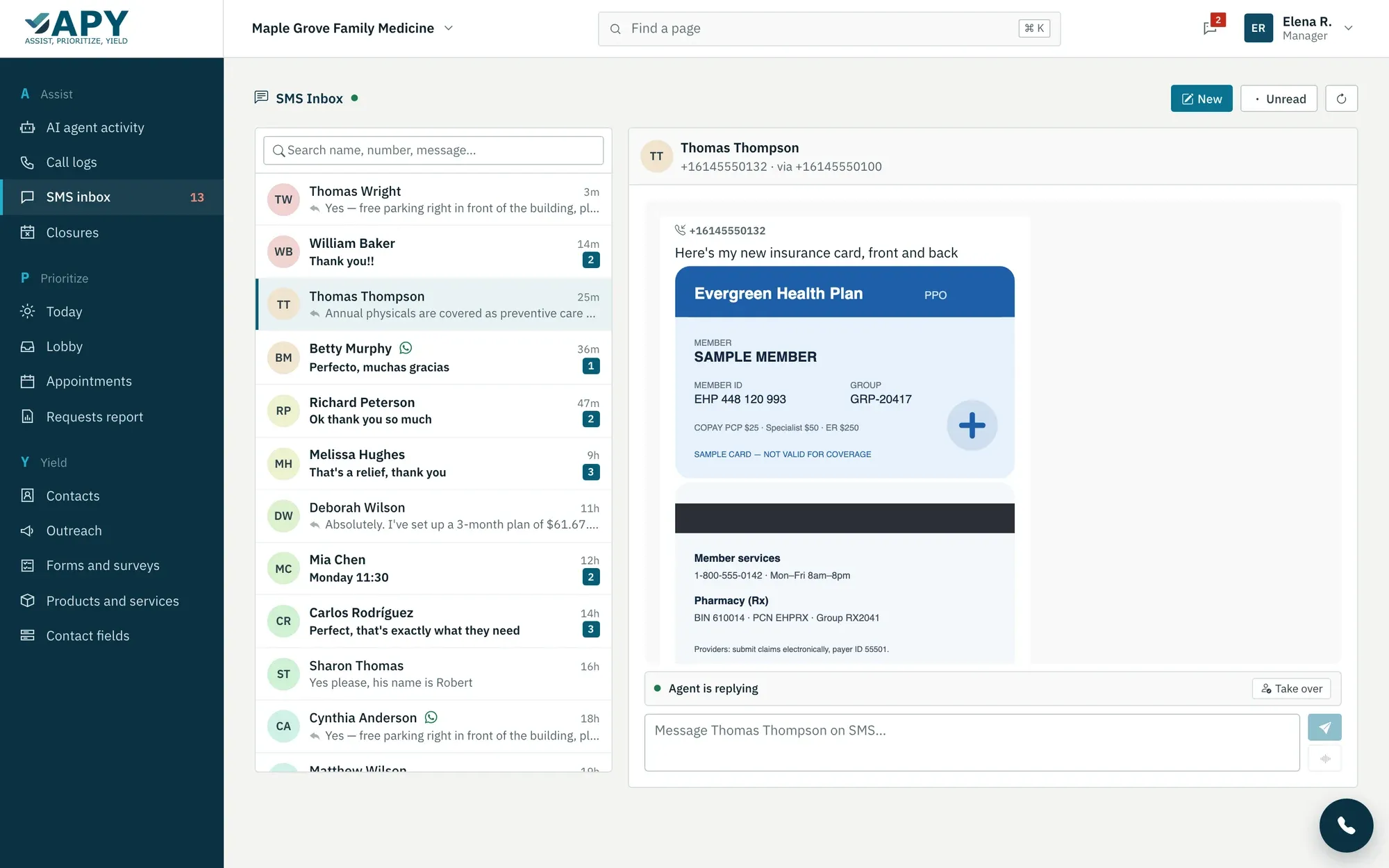
One shared inbox for patient texts. An AI agent can reply, and staff can take over at any time.


APY's AI agents answer patient calls and texts 24/7, in English and Spanish, and turn each one into a request your team can see, sort and close. In the exam room, the AI scribe drafts the visit note so providers can focus on the patient.
Works today with eClinicalWorks DrChrono Another EHR? We'll connect to it on request
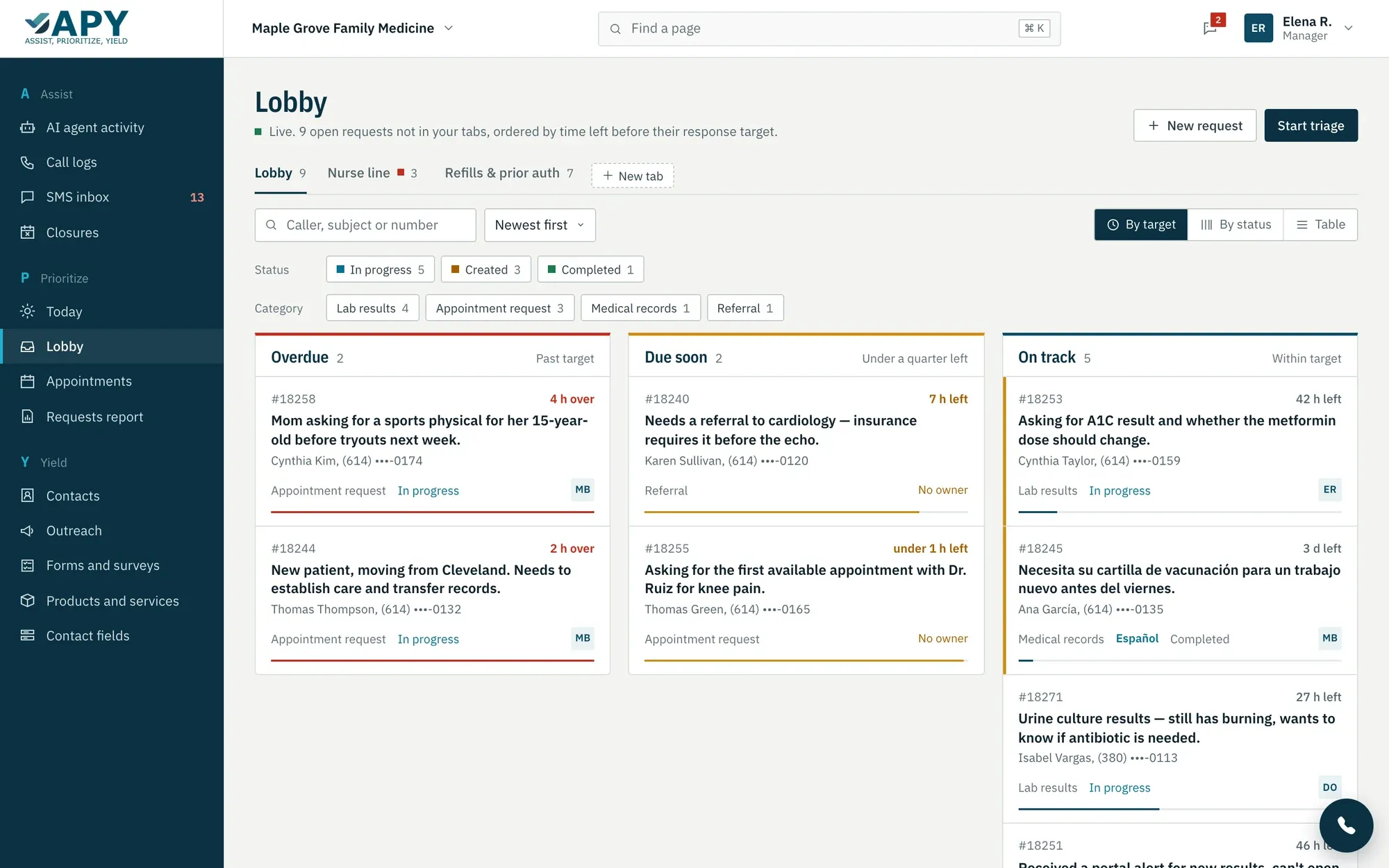
The Lobby, sorted by response targetDemo data, fictional
The problem
Patient requests arrive by phone, voicemail, text and paper, and too many of them depend on someone remembering.
Voicemail fills up, and nobody is sure which calls were missed or what the caller wanted.
Urgent symptoms wait behind billing questions in a shared inbox or a paper log, and nobody knows what is overdue.
Patients text the practice number or a staff member's cell. Replies are slow, scattered and unrecorded.
Staff retype what the patient said, and providers finish notes after hours.
The fix
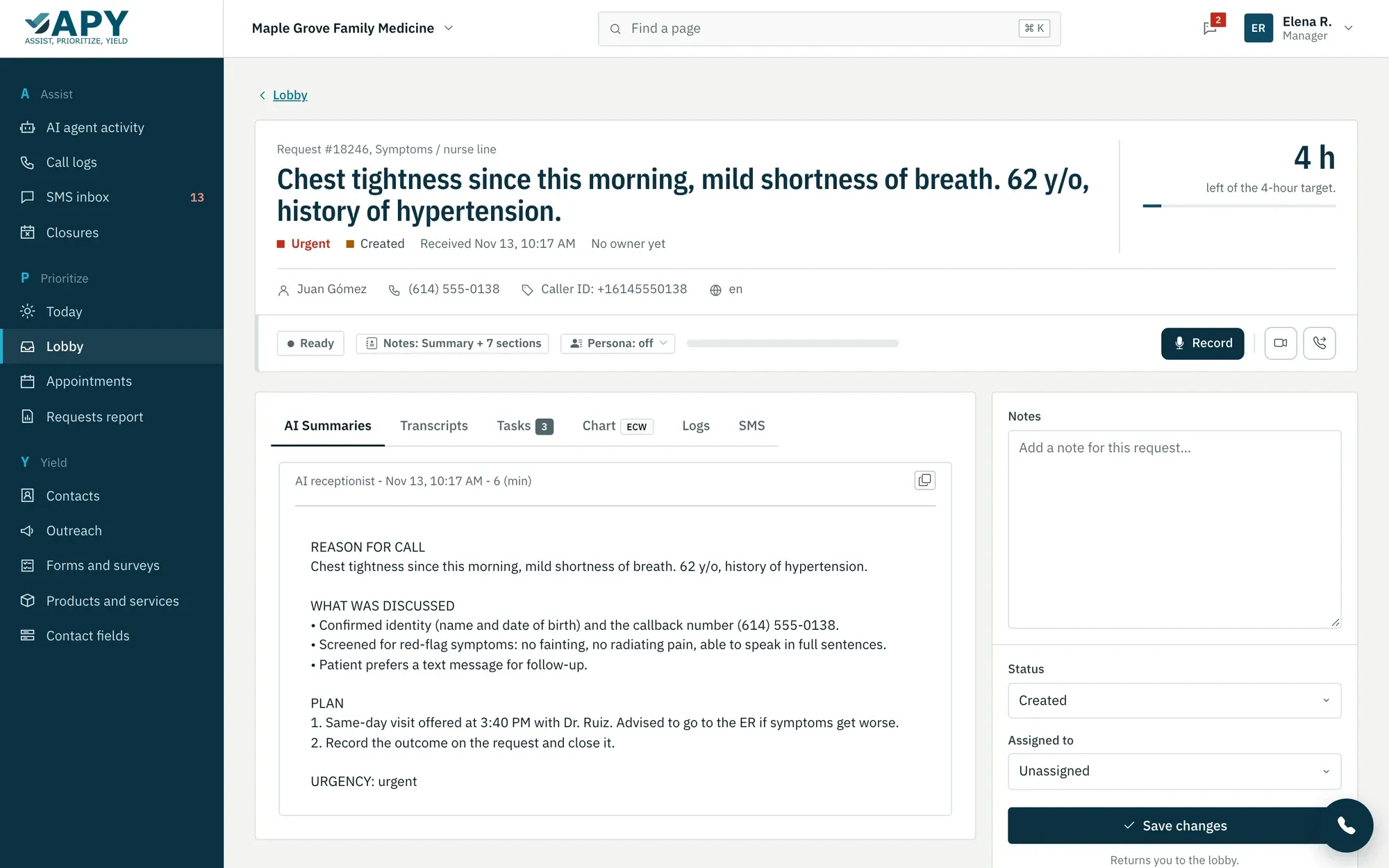
Everything patients send lands in one place, gets a category and a response target, and shows up in the Lobby.

AI scribe for providers
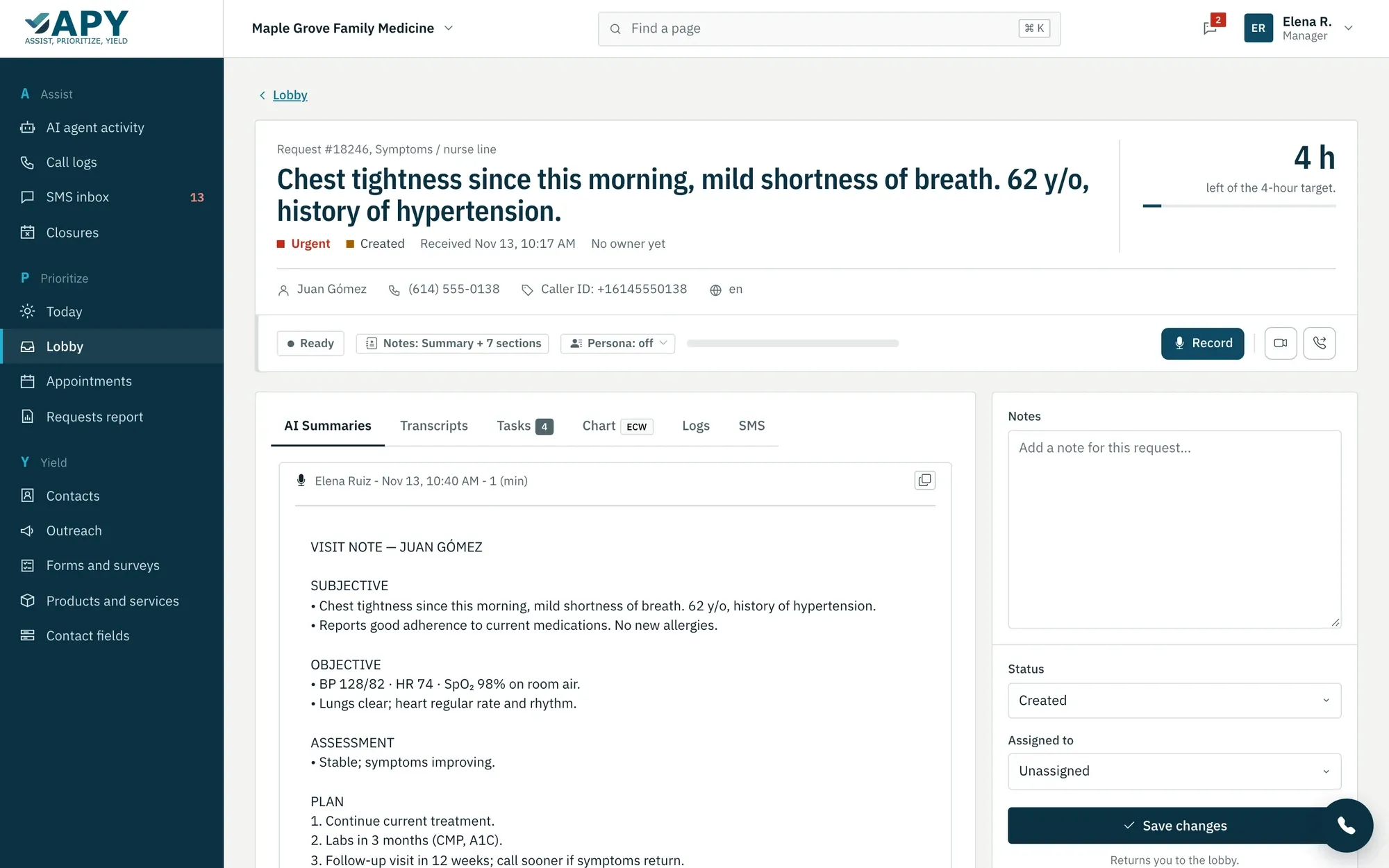
Press Record on the visit, in the exam room or on a video visit. When you stop, AI transcribes the conversation and drafts a structured note in your EHR's sections. The note goes back into the chart. No more notes after the last patient leaves.
One click from the patient's request, in the browser
AI writes a speaker-by-speaker transcript of the visit
A note in your EHR's sections, follow-up tasks and suggested ICD/CPT codes
The note is written back into the EHR, and the transcript stays on the request
It's a draft. AI output can contain mistakes. ICD/CPT codes are shown to the provider as suggestions.
Still writing notes after the last patient leaves?
Open the patient's request,
press Record, and talk with your patient.
When you stop, AI transcribes and summarizes the visit
into a structured note you review, then it goes back into your EHR.
Follow-up tasks are created for you,
and the full transcript stays on the request.
Learn more at apytechnologies.com.
How it works
Follow one patient request through APY.
Calls, SMS and WhatsApp are answered around the clock, in English and Spanish.
Each call or text turns into a request with a category, a transcript and an AI summary your team can read in seconds.
The Lobby sorts every request against its category's response target, so the team sees what is overdue, due soon and on track.
The provider records the visit, and AI drafts a structured note with follow-up tasks. The note is written back into the EHR.
Assist. Prioritize. Yield.
APY (said "A-P-Y") is named for the three jobs it does for your practice.
One shared inbox for patient texts. An AI agent can reply, and staff can take over at any time.
Phone calls, SMS and WhatsApp are answered around the clock, in English and Spanish, and turned into requests.
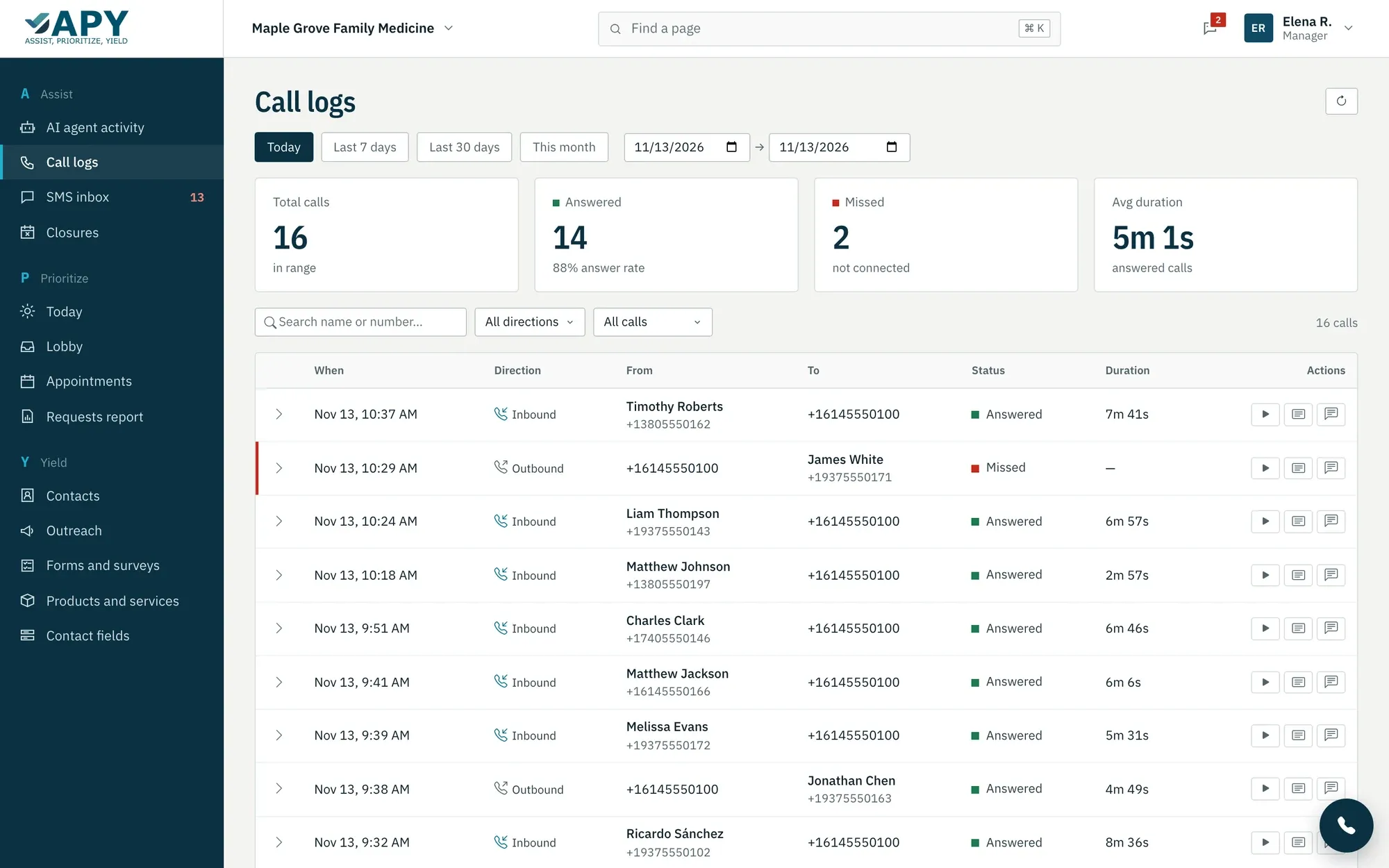
Answered or missed, duration, recording, transcript and AI summary. Staff call back from the browser.
Requests closed within target, who has what, and what has no owner yet.
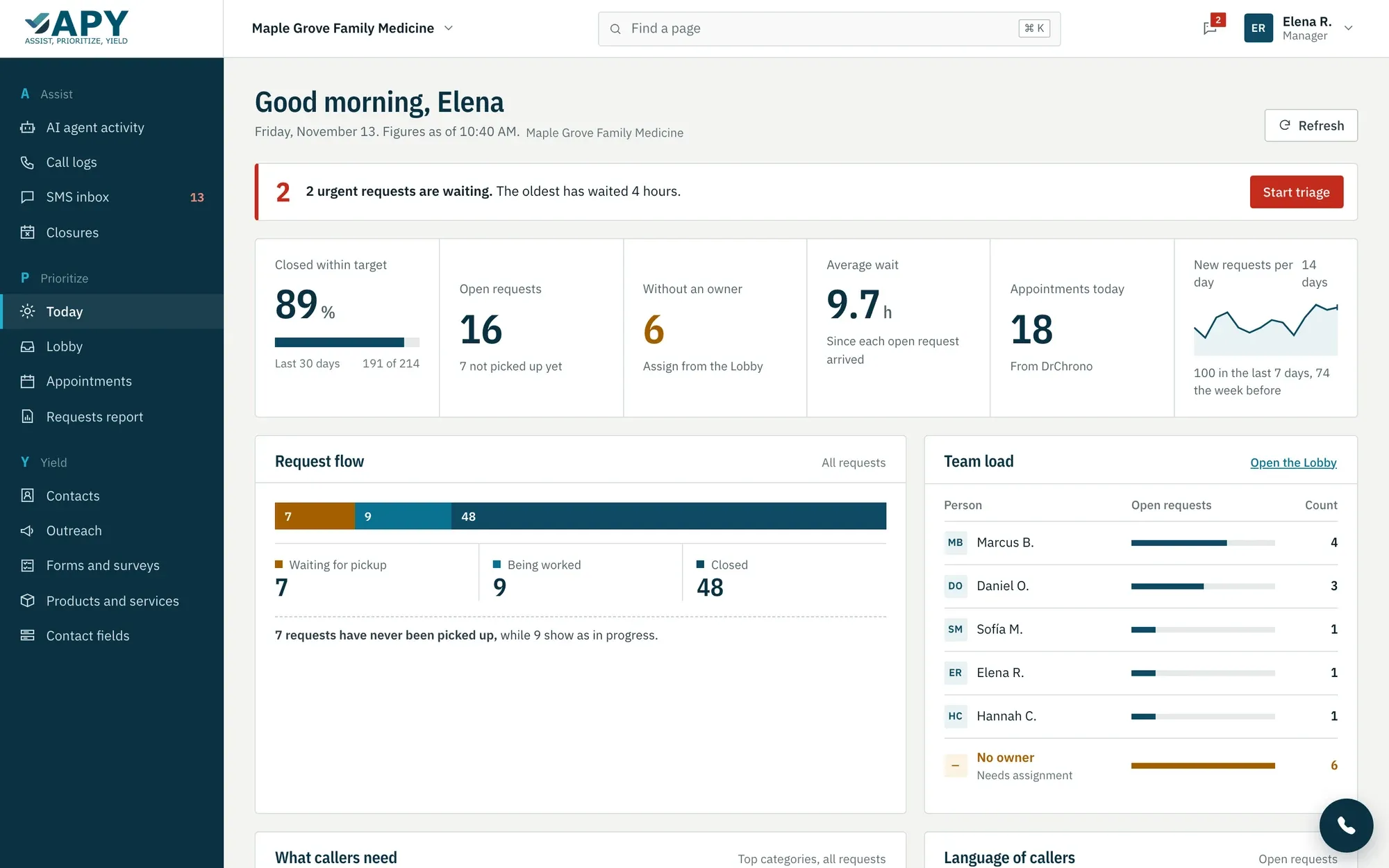
Every request is sorted as Overdue, Due soon or On track, with urgent requests flagged.
Everyone sees who has what, so nothing waits unseen.
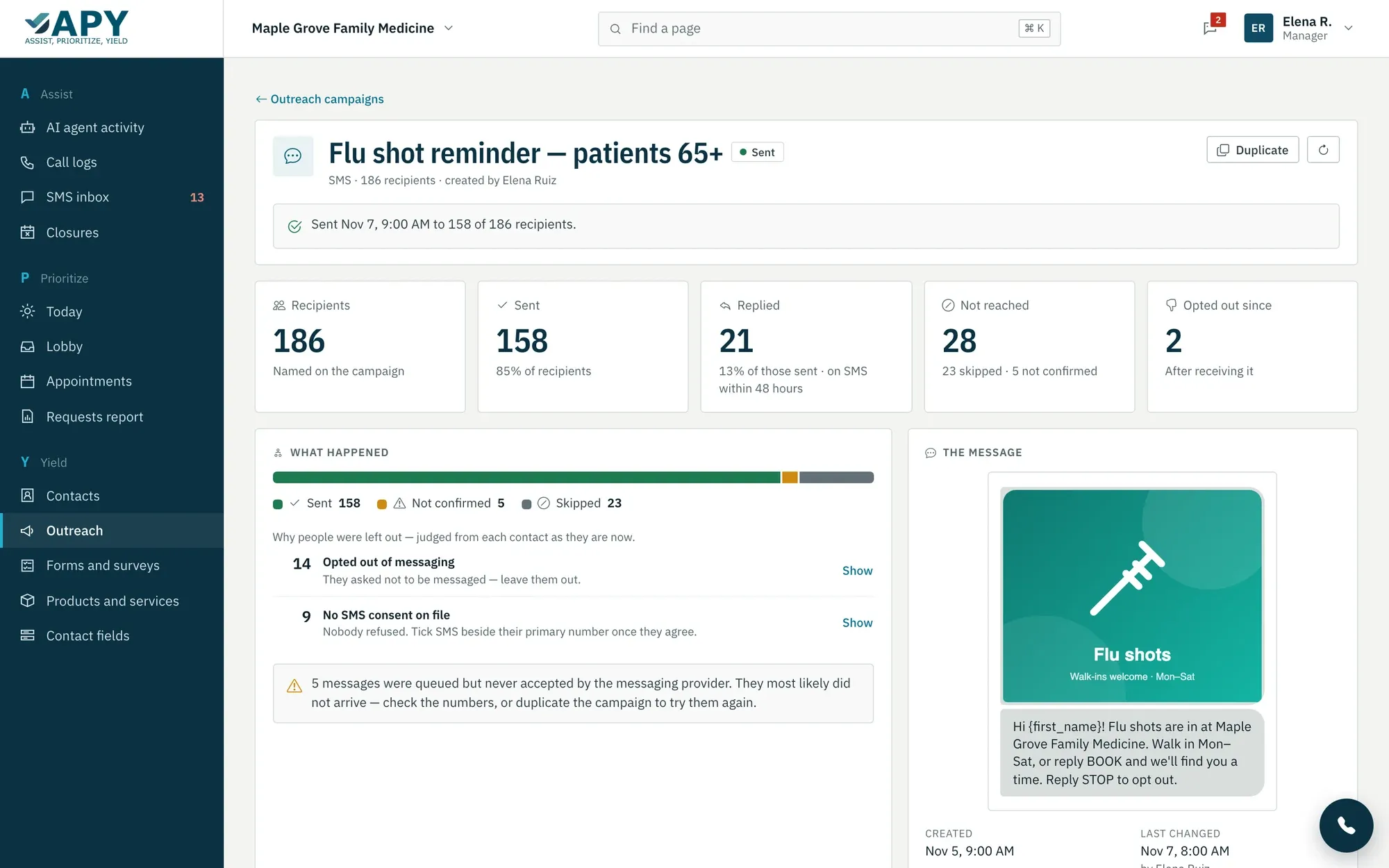
Campaigns by text, voice, WhatsApp or email. Results show who received the message, who replied and who was skipped, and why.
Intake forms and consents on the patient's phone, with insurance-card photos and a signature.
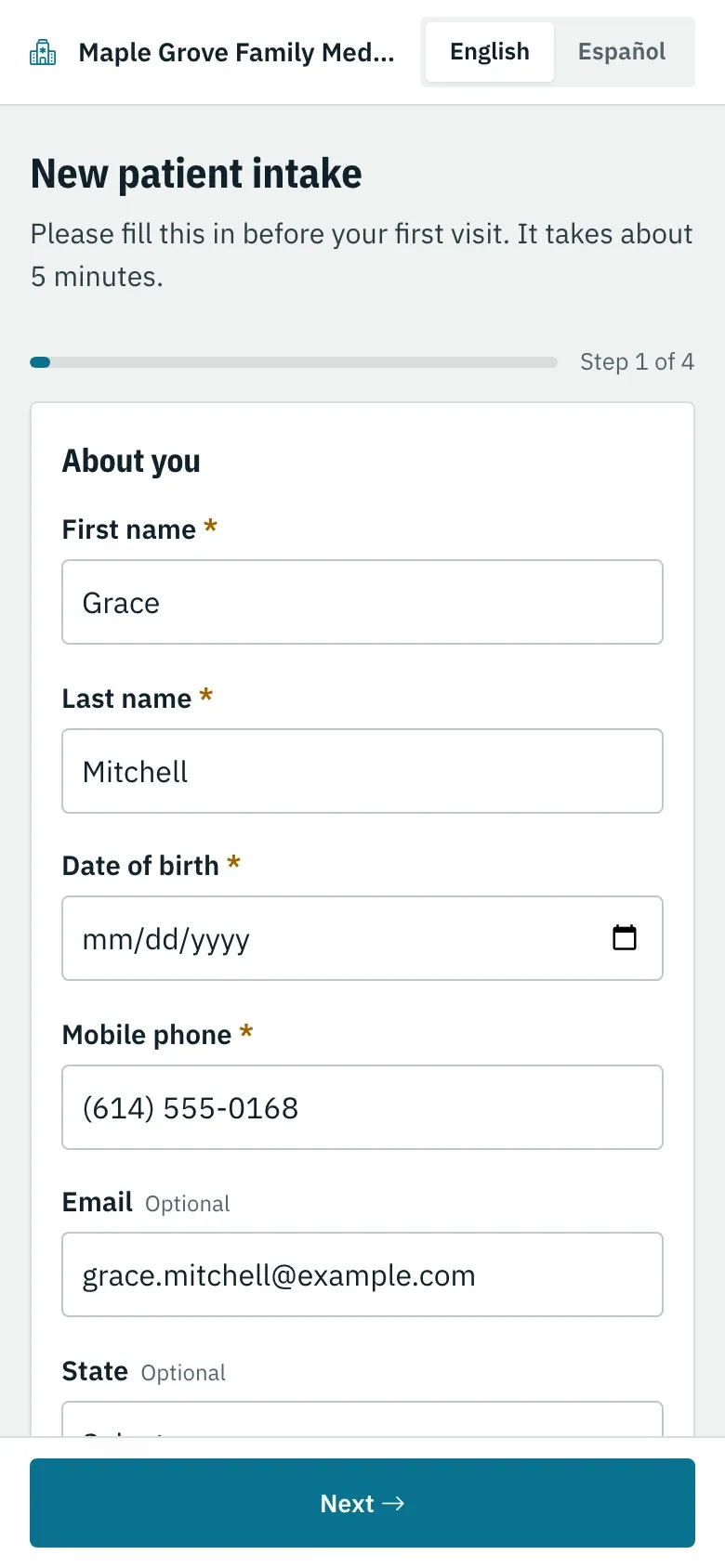
Screenshots: demo data, fictional
EHR integration
The schedule and the patient's history sit right next to the phone, and AI visit notes go back into the chart. Using a different EHR? We'll connect APY to it on request.
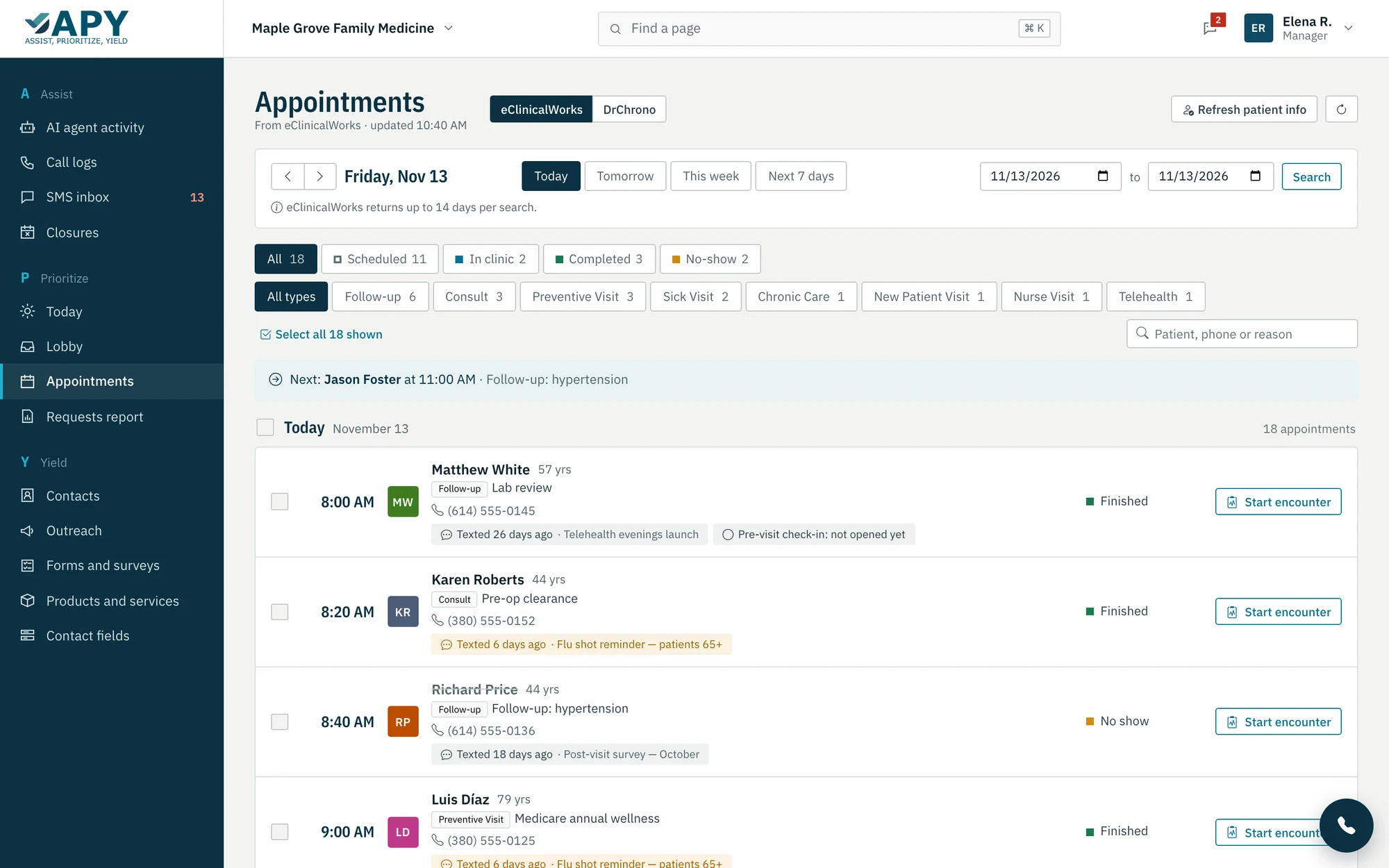
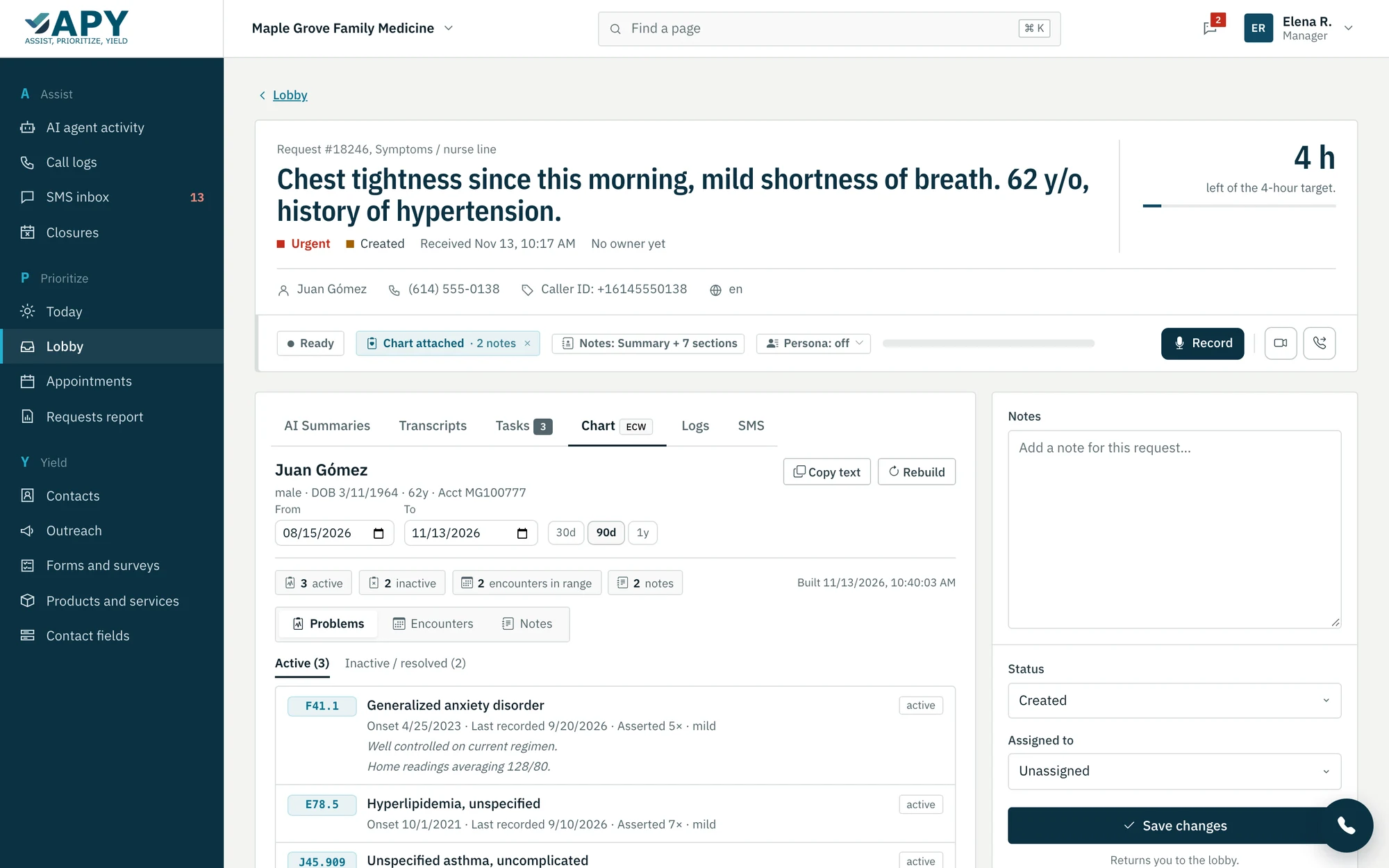
On another EHR? Tell us which one when you request a demo, and we'll plan the connection with you.
Ask about your EHREnglish and Spanish
The staff interface is in English.
Many of your patients prefer Spanish.
APY's AI agents answer calls and texts in English and Spanish.
Spanish requests are tagged in the Lobby, so the right person picks them up.
Patients fill in forms in English or Spanish,
and join video visits in their language.
Learn more at apytechnologies.com.
Overview
A short tour of the front desk with APY, from the first call to the follow-up.
This is APY, for the front desk of a medical practice.
AI agents answer 24/7 on phone calls, texts and WhatsApp, in English and Spanish. Every call is logged, with a recording, transcript and summary.
What callers need becomes a request in the Lobby, sorted against your response targets, so urgent requests surface first.
Record a visit in the browser. APY transcribes it, drafts a structured note and follow-up tasks, and writes the reviewed note back into your EHR.
Texts and WhatsApp share one inbox. An AI agent can reply, and your team can take over at any time.
It works with eClinicalWorks and DrChrono today, with more EHRs coming: the schedule, and a summary of the patient's history when you need it.
Send intake forms and consents as a link. Patients fill them on their phone, and responses arrive ready to review.
Reach patients by text, voice, WhatsApp or email, then see who replied, and ask how the visit went.
Your team can huddle with AI meeting notes, and the AI agents know your holiday hours.
And it's built for practices that serve patients in English and Spanish.
See APY with your own workflow. Learn more at apytechnologies.com.
Privacy and security
APY handles patient information as your business associate under HIPAA. Our commitments are in signed agreements, not just on this page.
We sign a Business Associate Agreement with every practice. It sets out how patient information is used, protected, kept and returned.
The phone, hosting and AI services that handle patient information for us have signed BAAs with us.
We don't sell personal information, and patient information isn't used to train public or general-purpose AI models.
Details are in our Privacy Policy and Terms of Service.
We'll walk through calls, the Lobby and the AI scribe using demo data, and answer your questions.
Works today with eClinicalWorks and DrChrono. Using a different EHR? We'll connect APY to it on request.